Teams 'Class Materials' has changed from a folder to a shortcut in all teams.

Anonymous
2024-09-24T20:43:52+00:00

Hi I have for years used the 'Class Materials' folder that teams auto-generates for classes, for read-only lesson resources. This started happening this morning, and now all my teams are like this, in the desktop app and through Chrome: the Class Materials folder in the General channel of each team has suddenly become a shortcut. This now means Class Materials cannot be found when saving files through the save dialogue box, as the shortcut does not show up. You also can't drag files into it, as it is a shortcut now not a folder, what is going on?

Thanks

Microsoft Teams | Microsoft Teams for education | Files | Other

Locked Question. This question was migrated from the Microsoft Support Community. You can vote on whether it's helpful, but you can't add comments or replies or follow the question.

0 comments No comments
{count} votes

3 answers

Sort by: Most helpful
  1. Anonymous
    2024-09-25T06:33:48+00:00

    Hi Sam,

    As per the detailed description, I tried to deploy the test environment with a new Microsoft 365 educational account where it seems like the class is created with missing Class Materials folder in General > Files tab. Screenshot attached. Please correct me if I'm in the wrong direction.

    Image

    In this situation, we may not able to test the same scenario as yours with a test account having Class Materials folder to better check if the same issue will reproduce on other tenants. However, since it seems like happening on all of your class, could you please confirm with other teachers in your school to see if they are facing the same behavior, if possible?

    Feel free to share me the updates and let's work together to see how we can further troubleshoot the behavior.

    Best Regards.

    Mia

    0 comments No comments
  2. Anonymous
    2024-09-25T19:48:26+00:00

    Hi Mia thanks for the reply. I have spoken with our IT technical team today and they used O365 admin console to go into the Team, where they confirmed that Class Materials was also a shortcut for them rather than a folder. Launching Sharepoint through Teams, Class Materials is still a tab at the side, so to add files I am downloading and uploading them in manually for now..

    I have then set up a new dummy class in Teams to see what happened relating to your screenshot. Same issue, a shortcut not a folder:

    So to reiterate the issue, I cannot drag files into that shortcut nor find it in the Save As window in apps due to it being a shortcut. Since Wednesday 24.09.24.

    Thanks

    Sam

    0 comments No comments
  3. Anonymous
    2024-09-26T04:25:42+00:00

    Hi Sam,

    Thanks for your sharing and the detailed screenshots. It shows clearly that the same Class Materials showing as shortcut issue can be reproduced when a new test class is created. In this situation, it is highly possible that this issue could be a temporary server-side issue or some related setting cache in the tenant side, which both needs to be investigated through the remote section and collect error logs from back-end to fix this for you and your colleagues.

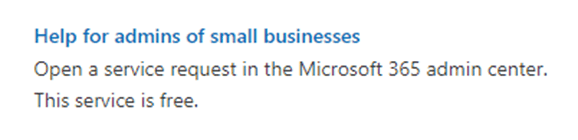
    Please ask the admin to raise a free support ticket from the Microsoft 365 admin center and report the issue to the online escalated support team to get the proper and dedicated support. The support team there has more permission than us, they can help you remotely and collect logs to find out what exactly happened that caused the folder shortcut conflict. They may also involve more resources to investigate the issue from the backend. This would be the most efficient way to handle this case for you and your tenant. Reference: Get support - Microsoft 365 admin | Microsoft Learn
    Image

    Please accept my apologies and regret that I did not resolve the issue and redirected you to the related development team, but the solution to your concern can be found through the HAR logs and suggest that you raise a support ticket from the Office 365 admin center, where the related team will investigate the issue further by collecting the HAR logs.

    We are redirecting it to the right support channel to solve the problem. That's why we suggest you contact your administrator or your IT department. They can create a support ticket. Once your administrator or IT contacts them, they will help you in 30mins.

    I am sorry and apologize for it.

    Your understanding and patience will be greatly appreciated. I hope you stay safe and healthy!

    Sincerely,  

    Mia | Microsoft Community Moderator

    0 comments No comments