Hello @Chitra Gundlapalli,
Thank you for reaching out to the Q&A forum!
Based on your information and requirement, I’ve tested this scenario directly in Microsoft Project Desktop, here are steps you can try to create a standalone task scheduled specifically for Thursdays.
Note: You’ll need to use Microsoft Project Desktop for this setup. The web version of Project currently redirects to Microsoft Planner, which does not support custom calendars or milestone scheduling in the same way.
Step 1: Create a Custom Calendar for Thursdays:
- You open Microsoft Project and create a blank page, then go to the Project tab on the ribbon.
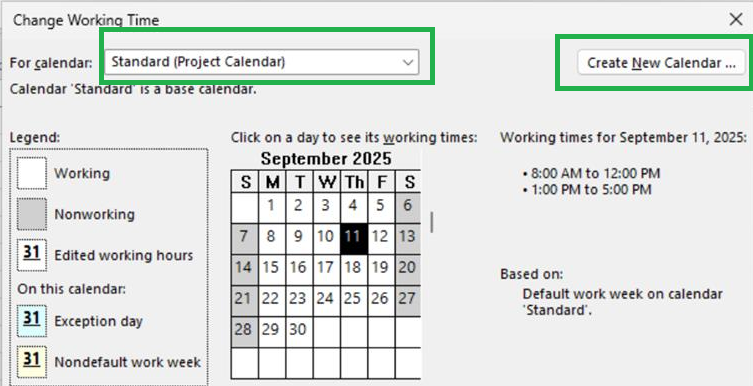
- Click Change Working Time.

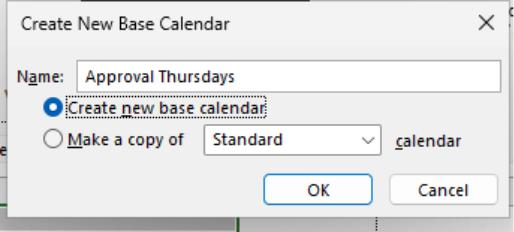
- In the dialog box: You click Create New Calendar => name it something like Approval Thursdays => choose Create new base calendar and click OK.
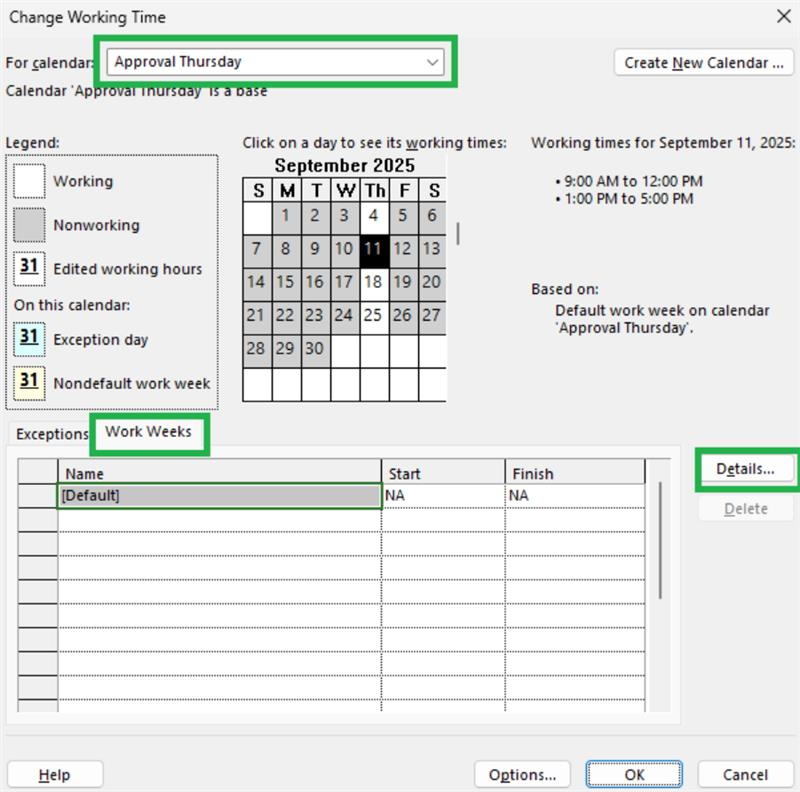
- In the new calendar: You go to the Work Weeks tab => click Details.
Note:
- For Monday to Wednesday, Friday, Saturday, Sunday, select Set days to nonworking time.
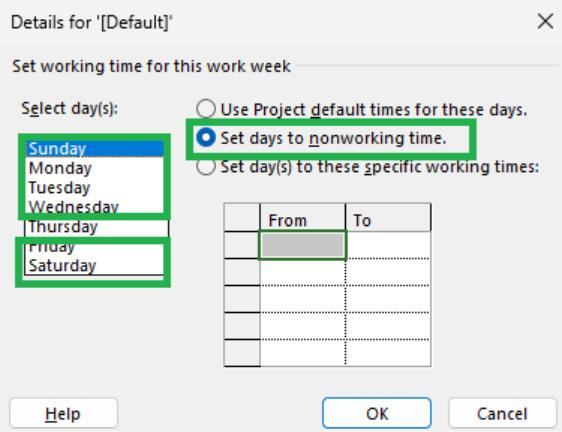
- For Thursday, select Set day(s) to these specific working times, and enter working hours (e.g., 9:00 AM to 5:00 PM).
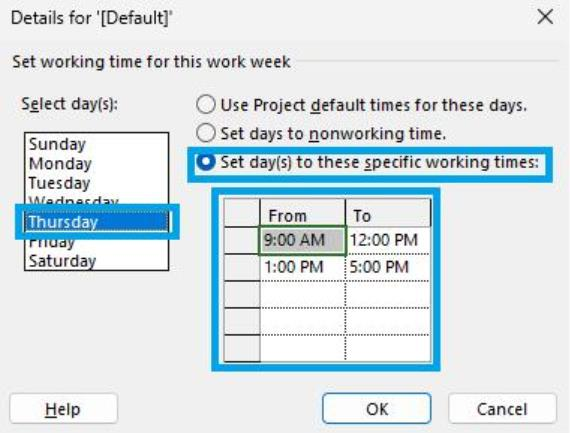
- After that, you click OK to save.
Step 2: Create the Task:
- In your project schedule, add a new task:
Name: Task Approval to Proceed
- Then, you double-click the task name to open Task Information => go to the Advanced tab.
- In the Calendar dropdown, you select Approval Thursdays and enable “Scheduling ignores resource calendars” to ensure it follows only the task calendar. (if you’re not assigning resources).
- Set the Duration to 1 day (or 0 days if it’s just a milestone).
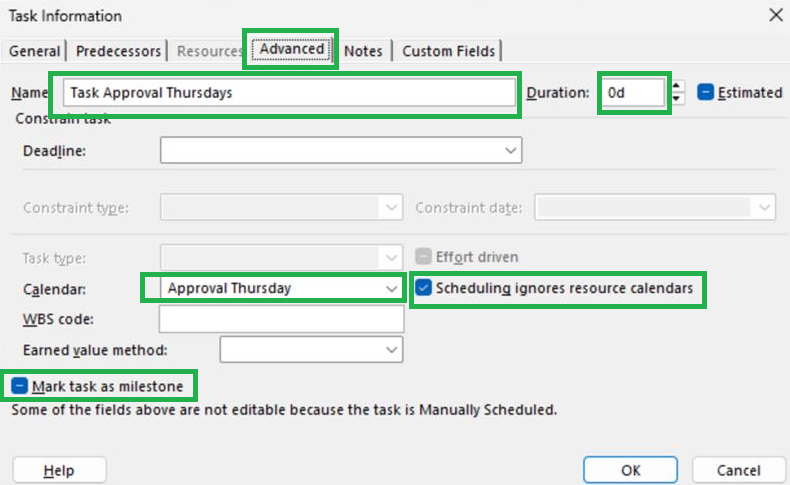
Note: You need make sure Predecessors and Successors are empty; this keeps the task independent.
After assigning the custom calendar (Approval Thursdays) to the task and setting its duration to 0 days, the task is scheduled exactly on the next available Thursday; for example, in my test, it landed on Thursday, September 11, 2025.

This setup meets your requirement of having a placeholder for leadership approval that always falls on a Thursday and is not tied to any other task in the schedule.
Additional note:
If you want this task to be repeated every Thursday, you’ll need to manually create copies of the task for each week. Microsoft Project Desktop does not support automatic recurrence like Outlook or Planner.
However, you can use the Recurring Task feature to quickly generate multiple instances of the same task on a weekly basis.
If the answer is helpful, please click "Accept Answer" and kindly upvote it. If you have extra questions about this answer, please click "Comment".
Note: Please follow the steps in our documentation to enable e-mail notifications if you want to receive the related email notification for this thread.

' cx='32' cy='32' r='32' /%3E%3Ctext x='50%25' y='55%25' dominant-baseline='middle' text-anchor='middle' fill='%23FFF' %3ECG%3C/text%3E%3C/svg%3E)

' cx='32' cy='32' r='32' /%3E%3Ctext x='50%25' y='55%25' dominant-baseline='middle' text-anchor='middle' fill='%23FFF' %3ETL%3C/text%3E%3C/svg%3E)