Hello jose manuel gomes
Thank you for posting question to Microsoft Q&A Forum.
According to this issue, may I know if you could see all of your emails in Outlook on the web (https://outlook.office.com/) but you did not see your emails in your phone?
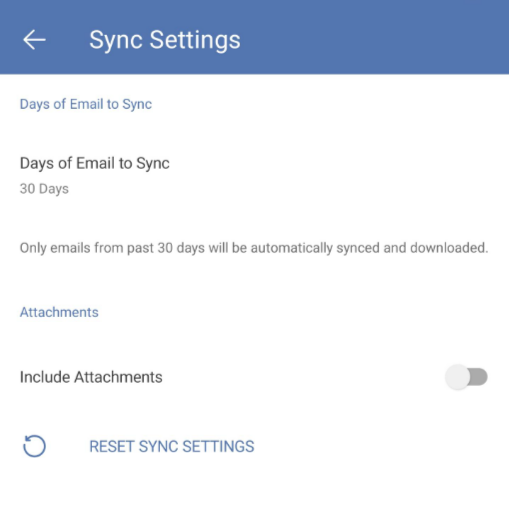
If you are using Outlook for mobile, consider checking in Outlook settings > Accounts > select your account > Sync Settings > Days of Email to Sync > set to higher number so Outlook could display more emails in the past.
If the situation is not similar to what I've instructed, consider removing your account from Outlook and re-add it again. You could share with me more information about your scenario.
I am looking forward to your response.
If the answer is helpful, please click "Accept Answer" and kindly upvote it. If you have extra questions about this answer, please click "Comment".
Note: Please follow the steps in our documentation to enable e-mail notifications if you want to receive the related email notification for this thread.
' cx='32' cy='32' r='32' /%3E%3Ctext x='50%25' y='55%25' dominant-baseline='middle' text-anchor='middle' fill='%23FFF' %3EJM%3C/text%3E%3C/svg%3E)

' cx='32' cy='32' r='32' /%3E%3Ctext x='50%25' y='55%25' dominant-baseline='middle' text-anchor='middle' fill='%23FFF' %3EAH%3C/text%3E%3C/svg%3E)