Hello Darcy Allard
Thank you for reaching out to Microsoft Q&A Forum
From your description, I understand that your Outlook app is stuck in a loop trying to sign you into your old work account, preventing you from accessing your personal email. If I've misunderstood your situation, please feel free to clarify then I'll adjust my recommendations accordingly.
Please try the following steps:
1. Remove the account directly from your phone’s Outlook iOS app
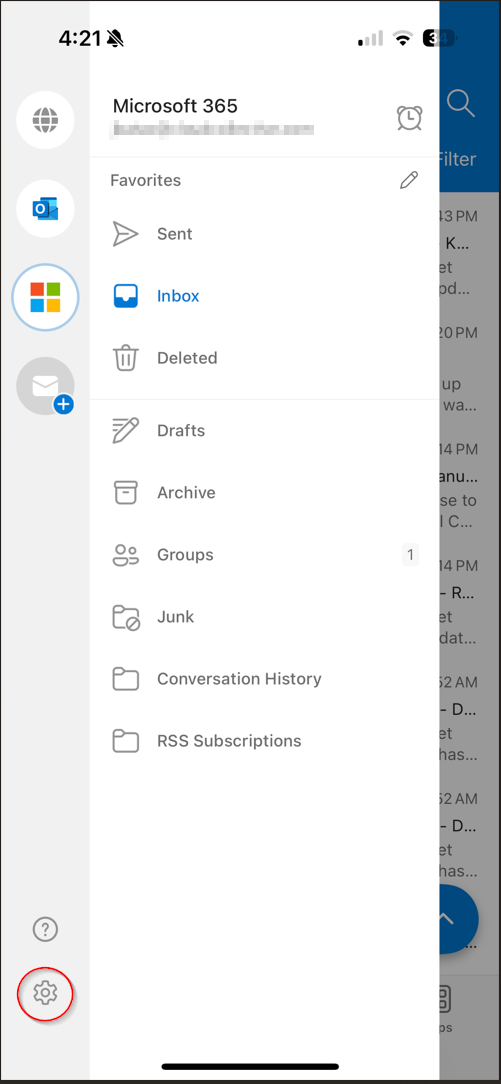
- Open Outlook app > Tap your profile icon (top left) > Settings (bottom left)
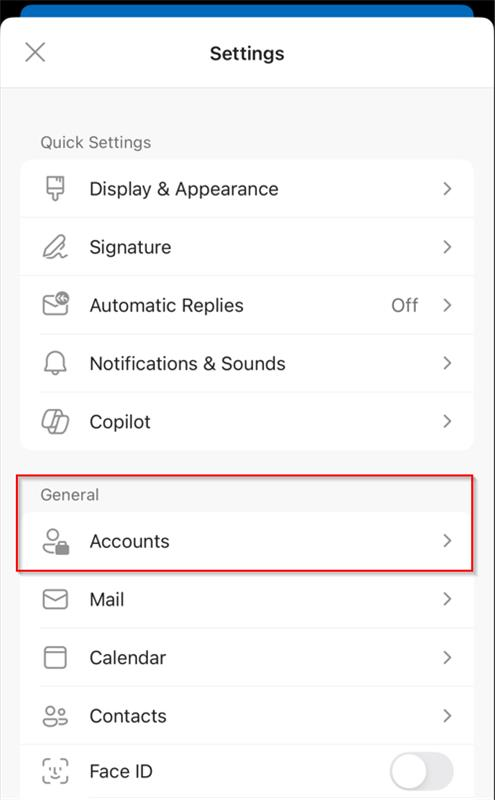
- Under General tab > select Accounts, tap the old work account
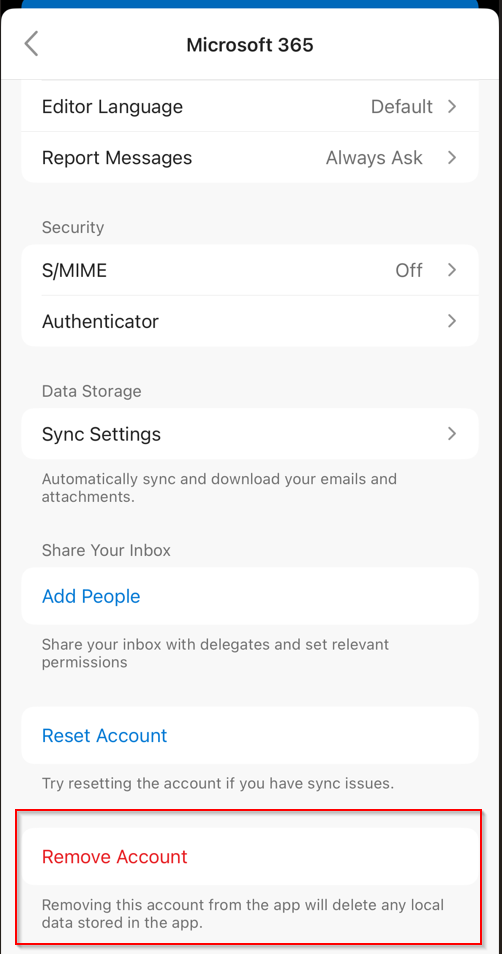
- Scroll down to select Remove Account
- If the device keeps redirecting to sign-in, force close the app and try again.
2. Clear Outlook app data (mobile)
This helps when Outlook keeps remembering an old, locked-out account.
After removing the account:
- Uninstall Outlook app completely then restarts your phone
- Reinstall Outlook from App Store
- Open Outlook to set up only your personal accounts and confirm the old account is no longer listed
Once confirmed, the email account will be removed from the Outlook app on your iOS device.
Feel free to let me know how it goes and which steps you've already tried.
If the answer is helpful, please click "Accept Answer" and kindly upvote it. If you have extra questions about this answer, please click "Comment".
Note: Please follow the steps in our documentation to enable e-mail notifications if you want to receive the related email notification for this thread.
' cx='32' cy='32' r='32' /%3E%3Ctext x='50%25' y='55%25' dominant-baseline='middle' text-anchor='middle' fill='%23FFF' %3EDA%3C/text%3E%3C/svg%3E)


' cx='32' cy='32' r='32' /%3E%3Ctext x='50%25' y='55%25' dominant-baseline='middle' text-anchor='middle' fill='%23FFF' %3EWB%3C/text%3E%3C/svg%3E)