Note
Access to this page requires authorization. You can try signing in or changing directories.
Access to this page requires authorization. You can try changing directories.
Microsoft Security Store offers must be integrated with Microsoft Security and address a security or compliance-related scenario. Here are the types of integrated solutions that can be published to the Security Store:
Security Copilot agents, published as a Software as a Service or SaaS offer.
Microsoft Sentinel connectors.
A SaaS solution needed to work with a Copilot agent or Microsoft Sentinel connector.
- The two offers need to be linked together during publishing. Linked offers must have valid offer IDs owned by the same publisher.
A SaaS solution that has a qualified Microsoft Intelligent Security Association (MISA) approved API integration with a 1-P product (Defender, Intune, Microsoft Entra, Purview).
Only transactable SaaS solutions are supported.
Professional Services offer type that are Managed Extended Detection and Response (MXDR) certified in the security category.
Note: Entra ID SSO integration does NOT qualify your solution for the Security Store
Deployable packages
Solutions with deployable packages must adhere to the package schema required by the Security Store, and if any of these items are applicable to your package, adhere to these requirements as well:
- the agent manifest schema required by Security Copilot
- the schema required by Microsoft Sentinel
- the notebook-jobs Microsoft Sentinel data lake.
Packages must pass scans for security vulnerabilities, which can include malware, anti-virus, and agent vulnerability scanning.
Offer metadata
If you're submitting an agent and letting Microsoft manage your licenses, your pricing type must be contract pricing and you must use the technical parameters given by Microsoft.
Agent names should be under 30 characters so that they do not get truncated in the Security Copilot UX
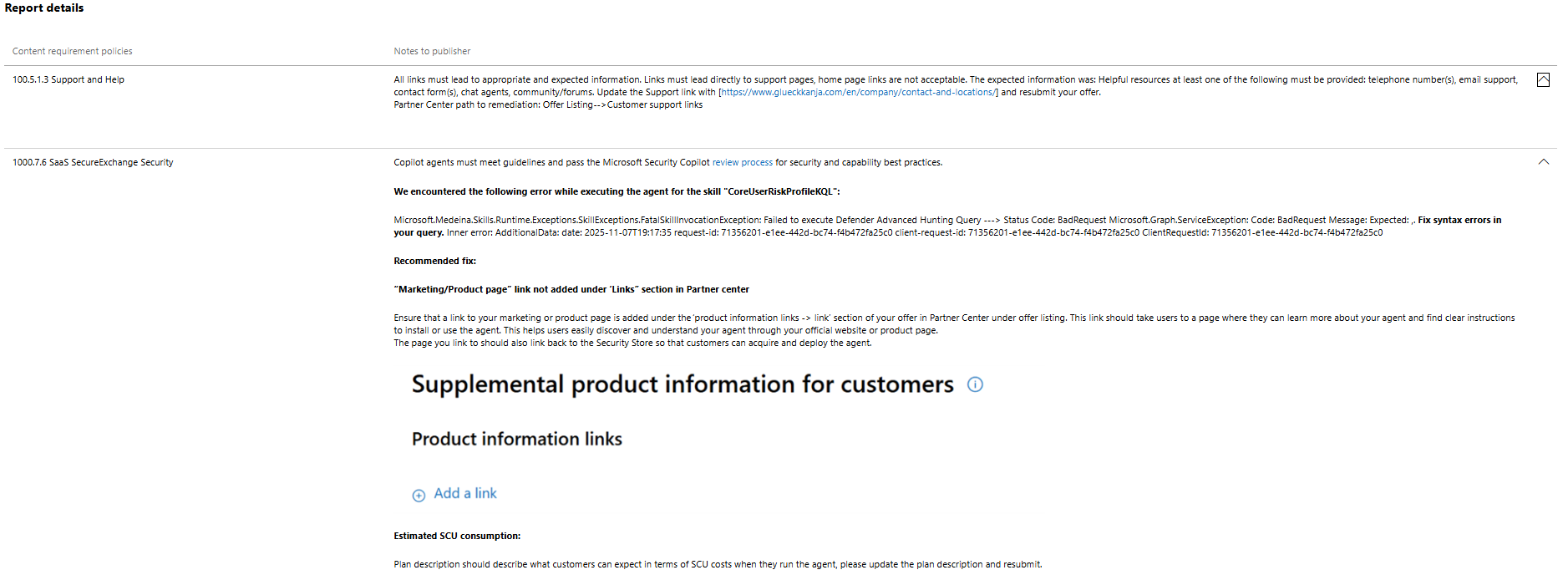
Ensure that a link to your marketing or product page is added under the Links section of your offer in Partner Center.
This link should take users to a page where they can learn more about your agent and find clear instructions to install or use the agent. This information helps users easily discover and understand your agent through your official website or product page.
The page you link to should also link back to the Security Store so that customers can get and deploy the agent. You can include this link in the Product information links section of the Offer listing tab in Partner Center offer publishing.

Agent functionality and metadata
Agents must pass functional and quality tests, which include:
Successful deployment, setup, and run experiences aligned with the agent description.
Agents must use Security Copilot agent platform capabilities appropriately.
- An agent is defined as a goal-oriented system and can autonomously generate a multi-step plan. The core value of an agent is its ability to use reasoning, memory, and tools to create a sequence of actions to meet an objective. An agent's plan might need human approval for final execution.
Agents must comply with Responsible AI standards (RAI), and mustn't contain any instructions that deviate from user intent or the stated purpose of the agent.
Important
If your agent requires access to your APIs to function, include credentials for a test environment in notes for certification in the Review and publish step of Partner Center.
Caution
Submissions that are LLM wrappers are rejected as ineligible. An LLM wrapper responds to a single prompt with information that a predefined instruction produces but doesn't generate a multi-step plan. If you can get the same output by running the instruction as a prompt in Copilot, then it's not an agent.
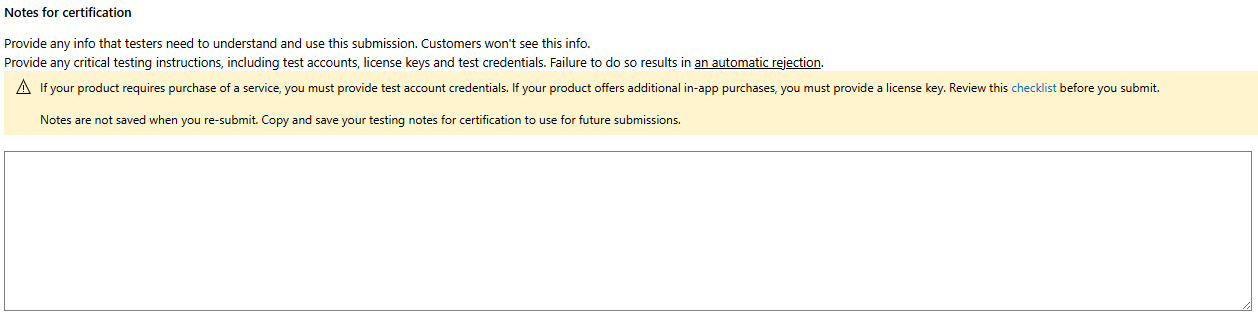
Agents must clearly describe the inputs, outputs, and tasks they perform in the offer description. Descriptions are structured in this format:
Inputs: Defender incidents, Contoso TI data.
Tasks: Looks up entities mentioned in the incident, correlates against threat intelligence, and classifies type of vulnerability based on results.
Outputs: Triage result specifying what type of vulnerability is involved, confidence level, and a recommended remediation plan.
In your plan description, you must specify the estimated security compute unit (SCU) consumption for your agent. Relate the SCU consumption to your agent’s inputs, tasks performed, and outputs.
- For example, if your agent summarizes incidents, you can say something like This agent consumes ~0.1 SCU, on average, for each run, which summarizes one incident. If your agent analyzes log data, you can say This agent consumes ~0.2 SCU on average, for every 1GB of log data queried.
Agent integration with Microsoft Security products
If your agent works with Microsoft products like Microsoft Defender, Microsoft Entra, or Microsoft Sentinel, make sure to select the right product (for example, Microsoft Defender) under Integrated Microsoft Security Products in Partner Center.

This selection ensures when the agent is published it appears correctly under the selected product filter (like Microsoft Defender) in the Microsoft Security Store. Correct product filtering helps users find agents related to their Microsoft product. Your filter selections are also used to decide which Microsoft Security product portal your agent might appear in.
For your agents to appear in any Microsoft Security product portal (again, like Microsoft Defender), they must first be validated. Any integration you select must meet these criteria:
Relevancy: Your agent description and function must be aligned to the personas and use-cases of the integrated product you select.
- Descriptions should explain how the agent works and integrates with the listed Microsoft Security products. Make sure the description details how the agent interacts with and supports security products selected. This information should include how the agent's inputs (what data does it take in) and/or outputs (what actions, information does it return) use selected products. Be sure to state this information clearly.
Integration: Your agent must integrate with the selected Microsoft Security product (for example, with a Copilot skill, custom plugin, MCP, et cetera).
Enhances customer experience: The agent needs to enhance customer experience with Microsoft Security products like Microsoft Defender, Microsoft Entra, or Microsoft Sentinel by supporting one of the qualifying scenarios defined by each Microsoft Security product.
For agents to appear in Microsoft Defender portal, meet these criteria:
The agent description (short or long), documentation, screenshots, manifest, and agent functionality need to align with Microsoft Defender or Microsoft Sentinel personas and use cases. The agent needs to support security operations center (SOC) analysts, threat hunters, IT admins, incident responders, or compliance officers. The agent must enable SOC analysts to manage SOC operations, perform threat hunting, reduce exposure, mitigate identity risks, or ensure compliance across endpoints, identities, email, and Cloud apps.
The description should specify how the agent works with Microsoft Defender. For example, taking in alert or incident data (inputs) and generating automated responses, enriched insights, or workflow actions (outputs) through built-in integrations.
The agent needs to integrate with Microsoft Defender or Microsoft Sentinel through Copilot skills, or plugins, or MCP tools that interact with Defender or Microsoft Sentinel (including Microsoft Sentinel platform).
The agent must support one of these scenarios:
Enrich Defender with more context or metrics that helps an SOC analyst perform a workflow.
- Example: Integrate external threat intelligence feeds, vulnerability data, or asset context into an incident investigation workflow so the SOC analyst can more quickly identify the attack surface or root cause.
Perform advanced analysis or extract actionable insights from Defender or Microsoft Sentinel data.
- Example: Correlating incident-related activity across multiple Defender and non-Defender data sources, highlighting attack paths, or prioritizing alerts.
Automate multi-step workflows in Microsoft Defender through planning. Automation can be done with recommendations that involve human-in-the-loop.
- Example: Orchestrating repetitive SOC tasks like isolating endpoints, triggering Defender Live Response scripts, creating incident reports, or escalating incidents with enriched context.
Certification process and failures
If your offer fails to pass the certification process described, you get an email notification to tell you so.
Check the status of offers publishing in the Partner Centers by clicking on the Offer overview tab of your offer. You can find a link to a report from the offer overview tab or the history tab that details what failed, and what needs to be corrected.
For More
Plan your publication for Security Store How to preview and test your offer listing for Secure Store